

Real-time Fur Simulation
1st January 2026
In 2023, for a school assignment, my friends and I made a game where the player has to defeat a colossus using a bow. Since the colossus has fur, we wanted to try simulating it in real-time, and I was in charge of this task.
Here you can see the simulation running in Unity:
The first step was to use the shader applied to the colossus mesh to store the positions of its vertices in a buffer.
The problem is that we can’t instantiate hair strands only at the vertex positions. Why? Because the mesh doesn’t have enough resolution, so we wouldn’t have enough strands. We would be able to see the skin between the vertices, and even worse, the topology of the mesh.
Thanks to barycentric coordinates, we can create strands anywhere on the mesh, including between vertices.
In a C# script, I retrieve the vertex position buffer and generate as many strands as I want from it. For each strand, I also store the barycentric weights and the normals of the triangle in order to reconstruct a proper normal at the strand’s position later on. Once the data is ready, I send it to a compute shader, which handles the simulation.
| “Why send the data to a compute shader instead of doing the computation directly?”
Because at this stage we are still on the CPU side, writing C# code. If we would compute everything here, it would be extremly slow, since we would have to process each strand one after the other for every frame. In our case, we are lucky, we can apply the same algorithm to every strand, and someone is really good at this.. the GPU. We can therefore use its concurrency ability to simulate thousands of strands at once.
The idea behind the simulation is very simple. Each strand is computed as a chain of springs, with a length constraint so that it neither stretches nor shrinks. I use 3 springs, which means 4 points in space:
That being said, with only 4 points, the movement of the strands won’t be smooth. :/
Indeed, if I apply a linear interpolation between my points, we will notice that my strands are made of 3 straight lines between 4 points:
To solve this issue, I still compute the physics using only 4 points to stay efficient, but to give a smooth result, I generate the vertex positions of my strands using a Catmull–Rom spline. This approach is very convenient because, regardless of the strand’s mesh density, the algorithm stays the same. I can simply sample the curve using the v component of the UVs.
We can see that using a Catmull–Rom curve allows us to fake a large number of points, as if the strands were simulated with many segments, while in reality only 4 points are simulated.
However, the sampling of the curve does not happen in the compute shader, since it has no knowledge about the density of our strands.
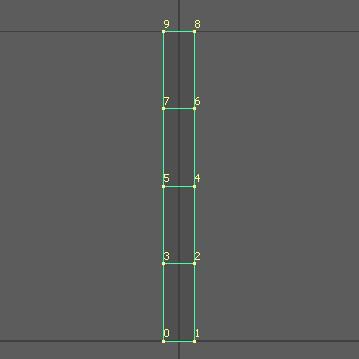
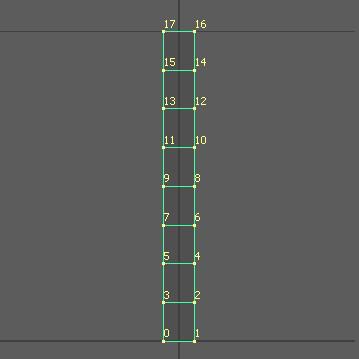
This means we need a third shader, applied directly to the strands. First, the vertex shader receives the 4 control points and builds the curve. Then, it moves the strand’s vertices along that curve and ensures the strand always faces the camera.
Here is the code snippet that makes the strands face the camera:
float3 forward = normalize(-UNITY_MATRIX_IT_MV[2].xyz);
// UNITY_MATRIX_IT_MV[2] is the direction of the camera.
float3 up = float3(0.0f, 1.0f, 0.0f);
float3 right = normalize(cross(forward, up));
up = normalize(cross(right, forward));
right = cross(up, forward);
Next, I move the vertices along the right axis to give the strand its width.
Finally, the fragment shader applies the shading to my strand, which is just a color gradient for now. ^^
I also use a texture mask to control where the colossus should have fur, as well as the length of the fur. Here you can see the mask I used and its impact on the fur:
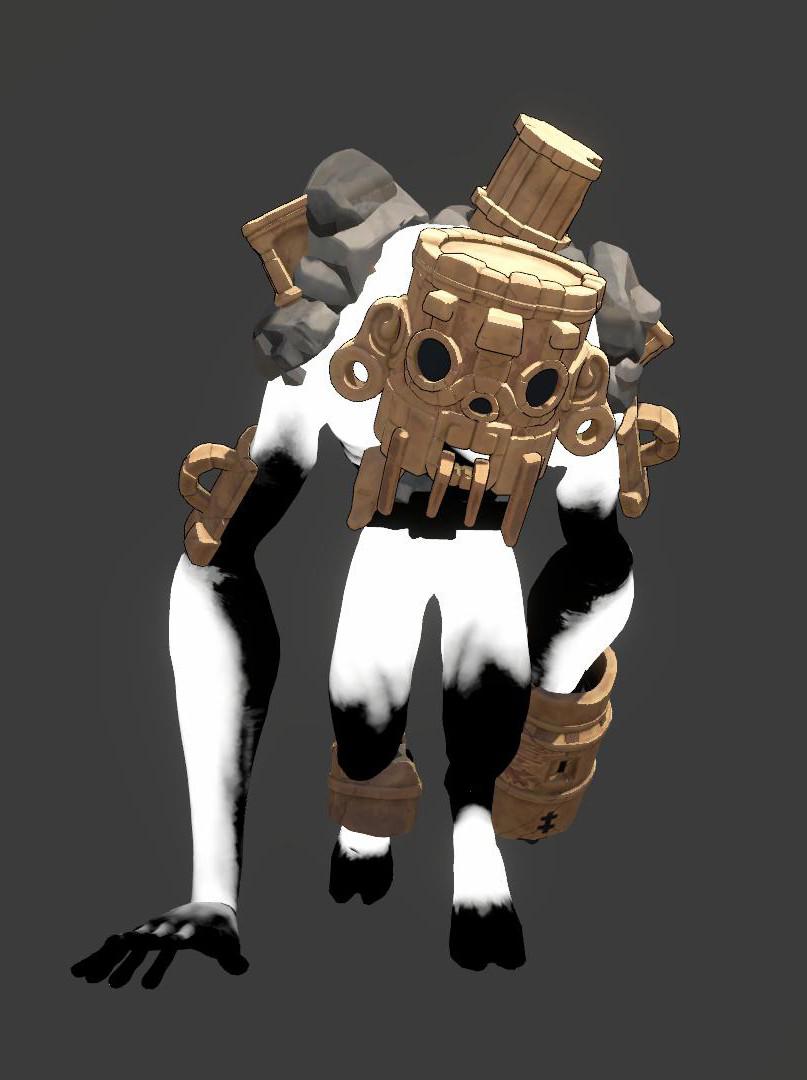
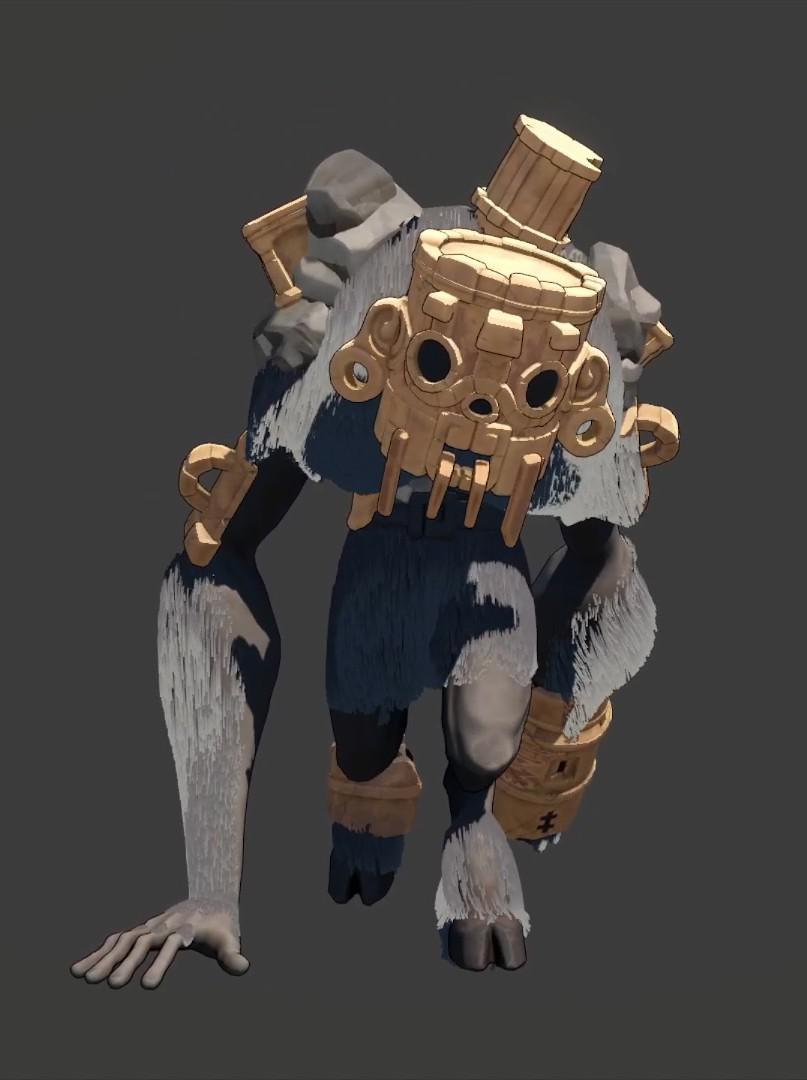
Using material parameters, we can control in real-time the width and length of the strands, their amount, the weight of the gravity and the friction applyied to them.
But there are still several improvements I would like to make regarding this project:
- Improve the shading model (for now it’s just a gradient from root to tip).
- Prevent the fur from intersecting with the colossus mesh.
- Give the strands a more interesting shape (they are currently just rectangles with flat normals).
Thanks a lot for reading my post <3
If you’re curious about the game itself, here is the trailer:
Special thanks to:
- William Hertzog for modelling and texturing the colossus.
- Romain De Moitelle for writing the cell shader of the colossus.
- Gil Damoiseaux for being an awesome teacher and answering my questions related to compute shaders.